
FOREX BROKER COMPARISON / 2026 REVIEW + 2027 OUTLOOK
Best forex brokers.
Your 2026 & 2027 shortlist.
Five brokers to compare. The costs, platforms and account details that decide the fit.
Start with Exness, Pepperstone, IC Markets, OANDA and FOREX.com as a research shortlist. The best choice depends on your location, exact account, trading platform and strategy—not the biggest leverage number or the smallest advertised spread.

Searching for the best forex brokers in 2026 and 2027 can leave you with dozens of nearly identical lists. The useful question is more specific: which account lets you trade your chosen markets, on the platform you need, at a cost you understand?
This guide gives you a focused shortlist and a way to compare it. It is a documentation-based assessment of published platform and account features, not a measured execution-speed contest or an independently audited withdrawal test. We have not assigned invented star ratings or declared a universal winner.
The quick answer.
- For an MT5 workflow: investigate the relevant accounts from Exness, Pepperstone, IC Markets and FOREX.com, then check the exact regional offering.
- For a TradingView workflow: check which broker account actually supports your connection and instruments. Platform availability is not identical across entities.
- For Gold and short-term trading: compare instrument specifications and the full cost at your trading hours, not just a headline forex spread.
- For 2027: use this as a planning shortlist. Recheck the terms when you are ready to open or change an account.
Referral disclosure: the Exness button below uses an SS7TRADER referral link. We may earn compensation under the partner terms. The other broker source links are ordinary official links. Compensation does not establish suitability, guarantee results or give you special withdrawal approval.
Date matters: this article was reviewed on 26 October 2026. No future 2027 broker performance, pricing or availability is presented as already verified.
01 / START WITH THE WORKFLOW
Best forex brokers: a practical comparison.
The labels below describe reasons to investigate each provider. They are editorial use-case assessments, not performance awards. The cited sites serve different regions; use the site and contracting entity that apply to you.
| Broker | Reason to compare | Main check before choosing |
|---|---|---|
| Exness | Multiple MT4/MT5 account structures | Account-specific cost model and eligible entity |
| Pepperstone | Standard/Razor and several platform routes | Which platform and account pairing you can use |
| IC Markets | Raw/Standard pricing and platform choice | Commission, live spread and regional terms |
| OANDA | Web/mobile, MT4 and TradingView on its US offering | Local product and platform availability |
| FOREX.com | MT5 and proprietary platform workflows | Pricing plan and region-specific instrument range |
Do not compare one provider’s offshore account with another provider’s domestic account as if the protections and product rules were interchangeable. First identify which account you can actually open; then compare the remaining choices.
02 / THE FIVE-BROKER SHORTLIST
What to like. What to check.
Exness — compare its account structures.
Exness documents Standard, Standard Cent, Pro, Raw Spread and Zero accounts, with MT4/MT5 options. That gives an eligible trader several pricing structures to investigate.
Potential advantage: account choice can help you compare a spread-based workflow with commission-based alternatives. Trade-off: similarly named accounts still have different costs and conditions. Check the specific instrument and region rather than treating a “Zero” or “Raw” label as zero total cost.
Source: Exness account-type documentation. Our shortlist does not establish worldwide availability.
SS7TRADER REFERRAL
Considering Exness for your workflow?
Check the current account options and eligibility through the provider. For SS7TRADER tool selection or MT5 setup questions, our team can help through Telegram or WhatsApp.
Explore Exness ↗Referral compensation may apply. Account approval, execution and withdrawals remain the provider’s responsibility.
Pepperstone — compare the platform/account combination.
Pepperstone’s UK account page describes Standard and Razor CFD accounts, with its own platform and integrations including MT4, MT5, TradingView and cTrader.
Potential advantage: several platform routes make it worth investigating when your workflow depends on a particular interface. Trade-off: do not assume every platform supports every account in every region. Confirm the pairing and pricing before moving a strategy or tool.
Source: Pepperstone UK account comparison. UK-specific products and terms should not be generalized to all clients.
IC Markets — compare raw pricing with full costs.
IC Markets’ Australian spreads page lists MT4, MT5, TradingView and cTrader, with variable spreads and Raw Spread pricing routes.
Potential advantage: the range is useful to investigate for an active, platform-specific workflow. Trade-off: a low minimum spread is not your average execution cost. Compare the applicable commission and typical conditions at the hours you trade.
Source: IC Markets Australia spreads and platforms. Confirm your own entity’s current offering.
OANDA — compare a chart-first workflow.
OANDA’s US platform page lists OANDA Trade web/mobile, MT4 and TradingView access.
Potential advantage: an eligible user can investigate both proprietary and external-chart workflows. Trade-off: the reviewed US page does not establish the same platform and instrument selection for every country. If your tool requires MT5, do not substitute MT4 or TradingView without checking compatibility.
Source: OANDA US platform information. This is a platform comparison, not a claim that every regional account has identical features.
FOREX.com — compare its MT5 environment.
FOREX.com’s US MT5 page describes charting, Expert Advisors, Depth of Market and a RAW pricing route.
Potential advantage: worth investigating for someone who specifically needs desktop MT5 features. Trade-off: RAW pricing combines spread and commission. Establish the account’s order rules, instrument range and total costs rather than assuming the platform name determines the full experience.
Source: FOREX.com US MT5 documentation. Different regional offerings need their own checks.
03 / LOOK BEYOND THE HEADLINE SPREAD
How to compare the real forex trading cost.
A broker advertising a spread “from zero” has not told you the full cost of your next trade. Your result also depends on commission, execution price, holding time and any conversion or account charges that apply. Use the same instrument, volume and holding period when comparing accounts.
ILLUSTRATIVE COST COMPARISON / NOT LIVE BROKER QUOTES
Example assumes a $10-per-pip position, fixed example spreads and no other costs. It excludes slippage, financing and conversion. Actual pip value depends on the instrument, position size and account currency.
In this example, the raw-style account costs $9 rather than $10. But change the commission, spread or position size and the result can change. The point is to calculate, not to conclude that one account label always wins.
| Cost or condition | Why it matters |
|---|---|
| Spread | Observe the bid–ask gap during your actual trading session, including busy and quiet periods. |
| Commission | Check the units, currency and whether the published figure is per side or round trip. |
| Financing | Review overnight charges and any special day conventions before holding a position. |
| Execution | Record intended and filled prices; demo observations do not guarantee live fills. |
| Money movement | Check conversion, funding, withdrawal and inactivity conditions where applicable. |
04 / MATCH THE ACCOUNT TO YOUR METHOD
Beginners, scalpers, Gold traders and automation users.
For a beginner: make the process understandable.
Your first useful milestone is being able to explain a position before opening it: instrument, size, stop distance, monetary exposure and margin requirement. A demo account lets you practise the sequence. An attractive interface or a low deposit threshold does not replace that understanding.
Choose a setup you can repeat on the device you actually use. Check that order fields are readable, symbol names are clear and support can answer practical account questions. Keep your analysis simple enough to review mistakes instead of adding a new indicator after every losing practice trade.
For scalping: measure the hours and symbols you trade.
A small target makes entry costs and timing especially important. Build a comparison log for the same symbol and session across your shortlisted demo accounts. Include the spread, intended entry, observed fill, stop placement rules and any rejected changes. Ask the provider whether your intended technique or integration is permitted.
Testing is useful evidence about the workflow, but a few favourable trades do not establish that a broker is the fastest or that the strategy has an edge. Avoid declaring a winner from a screenshot.
For Gold: compare exposure, not the symbol label.
XAUUSD specifications are a separate check from EURUSD specifications. Establish the contract size, minimum lot, volume step, tick value, spread, financing and market breaks on the exact account. A Gold chart existing in the platform does not mean every tool or position size transfers unchanged.
Translate the stop distance into money before deciding the lot size. If the minimum volume already creates more risk than your plan allows, the account is unsuitable for that trade even if the headline spread looks appealing.
For indicators and automation: check the runtime.
MT4, MT5, cTrader and TradingView use different software formats. A desktop MT5 tool cannot simply be pasted into TradingView or run as a custom program inside the MetaTrader phone app. Confirm installation requirements, symbol availability and the provider’s integration rules first.
If you use order-placement software, understand its permissions and failure behaviour. An analysis tool that marks a chart is different from a program authorized to send orders. Keep that distinction clear when purchasing software or requesting a custom build.
05 / BEFORE YOU FUND AN ACCOUNT
Use this five-step broker checklist.
- Identify the account entity. Match the company in the agreement with the relevant official register and the product permissions that apply where you live. A familiar group name is not enough.
- Check the actual account. Record base currency, pricing model, platform, instrument specifications, margin and stop-out conditions.
- Test your workflow on demo. Practise finding the symbol, placing and modifying orders, and using your analysis tools. Keep a dated log of settings and observations.
- Read the money-out conditions. Establish identity requirements, payment ownership rules, available withdrawal routes, processing provisions and fees before funding.
- Set your exposure limits. Decide how much a trade and a losing session may cost. More available leverage does not make a larger position appropriate.
Save your comparison notes rather than relying on a broker list you read once. That record makes it easier to reassess an account when your strategy, trading hours or the provider’s terms change.
06 / THE 2027 PLANNING CHECKLIST
What to recheck before choosing a broker in 2027.
We cannot verify future conditions in October 2026. The useful way to plan for 2027 is to keep the same decision process and refresh its inputs. A broker remaining well known does not mean its pricing, platforms or account eligibility stay unchanged.
- Entity and eligibility: confirm that the same company still offers the intended product to your location.
- Pricing: download the latest fee and contract information; compare typical session costs with your previous notes.
- Platform support: recheck integrations, account migration requirements and desktop tool compatibility.
- Payments: confirm that your intended funding and withdrawal methods remain available.
- Your own needs: reassess whether you still trade the same instruments, frequency and holding period.
Do this review before moving an existing workflow, not after discovering that a new account cannot run your tool. The shortlist is a starting point; the decision should use the terms in force when you act.
07 / THE ANALYSIS LAYER
Your broker supplies the account.
Your tools support the decisions.
Once your account requirements are clear, build an analysis workflow around the markets you trade. SS7TRADER develops tools and publishes market setups across Forex, Gold, Crypto and Binary Options. Broker selection and analysis-tool selection solve different problems.
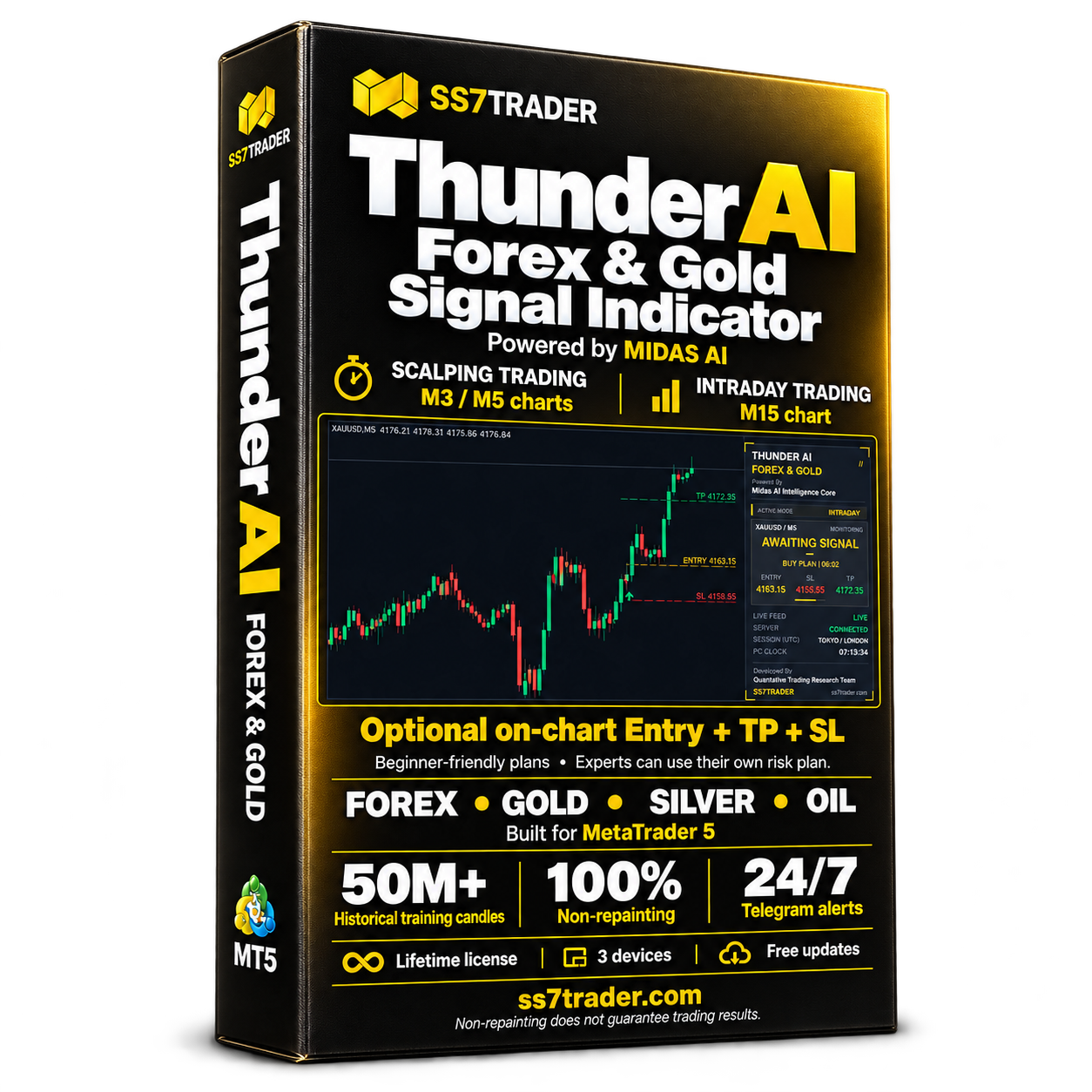
POWERED BY MIDAS AI / METATRADER 5
Thunder AI Forex & Gold
Non-repainting analysis for Forex and commodities charts, including Gold, Silver and Oil. Scalping mode uses M3/M5; intraday mode uses M15.
Explore Forex & Gold ↗The optional on-chart trade plan shows Entry, Take Profit and Stop Loss levels. Beginners can use it to understand the proposed setup; experienced traders can apply their own risk plan. Any level still needs to be assessed against position size, spread and current market conditions.
MIDAS AI is SS7TRADER’s research ecosystem, developed using research on 50M+ historical candles. Retraining happens centrally and customers receive tested tool updates. Non-repainting describes signal behaviour; it does not promise profitable trades. Learn more about the research process and MIDAS AI.
PREFER ANALYST-POSTED SETUPS?
Explore the SS7 Signals Terminal.
See the premium Forex, Gold and Crypto signals service, its current access terms and available plans. Evaluate any setup against your account conditions and your own exposure limits.
View premium signals ↗For other markets, explore Thunder AI Crypto for TradingView or Thunder AI Binary for MT5. These are separate products with their own supported workflows.
Bring your setup questions to SS7TRADER.
Join our public channel for market posts and product updates. For product selection or installation help, contact Telegram support or WhatsApp.
Join t.me/ss7trader ↗The public channel is free. Indicators and premium signal subscriptions are separate paid offers.
RELATED VIDEO / UNDERSTAND THE COST
See how the bid–ask spread works.
Educational video published by OANDA. Included for the spread explanation, not as independent proof of broker quality or an endorsement of SS7TRADER.
FREQUENTLY ASKED QUESTIONS
Forex broker questions, answered.
Which forex broker is best for 2026?
There is no single best broker for every trader. This shortlist compares Exness, Pepperstone, IC Markets, OANDA and FOREX.com by platform and account needs. First filter for the entity and product available where you live, then compare total costs and test the exact workflow on demo.
Are these confirmed best forex brokers for 2027?
No. The review was prepared on 26 October 2026. Its 2027 section is a forward-looking checklist, not a claim about future prices, permissions or service quality. Recheck the account terms, entity, platforms and fees before using the shortlist in 2027.
Which account is better: Standard or Raw Spread?
Compare the full round-trip cost for your actual instrument, volume and holding period. A tighter spread with commission can cost more or less than a wider spread without separate trading commission. Overnight financing and currency conversion can change the result.
What should I look for in a forex broker for beginners?
Prioritize clear account terms, an understandable demo workflow, manageable minimum trade sizes and support you can use. Learn how to calculate exposure and place a stop before considering live trading. A small minimum deposit does not make leverage low risk.
How do I choose a broker for Gold or XAUUSD?
Check whether the exact account offers the instrument, then review contract size, minimum volume, spread, commission, financing and trading breaks. Gold symbols and specifications can differ between brokers. Compare monetary exposure rather than assuming the same lot number means the same risk.
Can I use Thunder AI Forex & Gold with every broker?
You need a compatible MT5 desktop environment and supported chart data. Confirm the broker’s exact symbol and the product requirements first. MT4, MT5 and TradingView scripts are different formats. Demo-test the intended configuration before relying on the workflow.
Is high leverage an advantage when choosing a forex broker?
It reduces the margin needed for a given position but increases how easily an oversized position can damage an account. Compare leverage together with position size, margin requirements and stop-out rules. Maximum leverage is not a performance measure.
Does a referral link provide guaranteed withdrawals or special approval?
No. Our Exness referral may compensate SS7TRADER under the partner terms. It does not certify suitability, alter account permissions or guarantee approval or withdrawals. Broker account decisions remain with the provider; SS7TRADER can help with our own product setup.
Are SS7TRADER Telegram updates and premium signals the same service?
The public channel at t.me/ss7trader is free to join. Thunder AI indicators and the premium Forex, Gold and Crypto signals service are separate paid offers. Review the relevant product or subscription page for the current access terms.
SOURCES & REVIEW METHOD
What this comparison is based on.
Reviewed by the SS7TRADER Research Team on 26 October 2026 using the official pages below. Provider-described features are attributed to their sources; use-case assessments, checklists and the cost example are our analysis. This review does not independently certify an account’s regulatory status or measure live fills and withdrawal speeds.
- Exness account types
- Pepperstone UK account comparison
- IC Markets Australia spreads and platforms
- OANDA US trading platforms
- FOREX.com US MetaTrader 5
The 2027 section is an outlook and rechecking framework, not a report of future results. Leveraged forex and CFD trading can cause substantial losses. Account protections, products and availability depend on the entity and location. No broker, indicator or signal removes trading risk.
RESEARCHING MARKETS SINCE 2015
Choose your account.
Build your process.
Connect with SS7TRADER for Forex, Gold and Crypto market posts, analysis tools and product support.